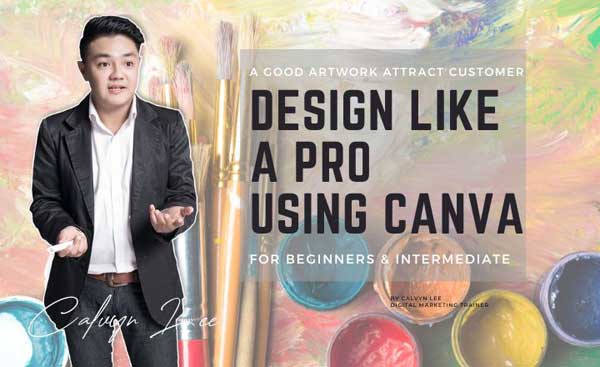
Design Like A Pro Using Canva
“Canva is one of the famous Australian graphic design tools , also one of my daily design tools in my marketing campaigns. I use Canva to design my social media content, training material and it is one of topic in my digital marketing course.” – Calvyn Lee, Digital Marketing Trainer
In this Canva Training course, let me guide you on how to use Canva, from Sign Up an account until DESIGN LIKE A PRO
You will Design like a Pro using Canva after attending this 2 day Canva Training Courses.
Canva is a powerful and easy-to-use online tool that lets you create stunning graphics for your business, social media, and marketing needs.
In this Canva course, you will discover how to navigate Canva, create your own brand identity, design eye-catching social media posts, produce professional marketing materials, and master the tips and tricks of Canva.
You will also explore the most important features and functions of Canva that will help you unleash your creativity.
This Canva design course is entry to the intermediate level, for sales & marketing personnel who require basic skills to create social media artwork and marketing collateral, also for corporate staff to design, prepare their presentation as well as reporting. A fast-track course for your ability to create amazing designs.
By the end of this Canva Training, you will be able to design like a pro using Canva and impress your audience with your amazing graphics.
Learning Objective:
The goal of this Canva training course is to teach you how to use Canva from foundational skills to Pro-level mastery. You’ll learn to:
-
Understand and apply Canva’s core tools and AI-powered features across all plans
-
Navigate professional workflows, brand setup, and collaboration tools
-
Master layouts, effects, typography, motion, and data visualization
-
Create business assets, presentations, videos, and multi-channel campaigns
-
Leverage Canva Pro automation for maximum efficiency and scalability
-
Apply visual design principles for marketing impact.
Who Should Attend This Canva Course
This course suits:
-
Entrepreneurs & Business Owners creating brand visuals
-
Sales & Marketing Professionals producing campaign materials
-
Content Creators & Social Media Managers
-
Digital Marketing teams needing efficient design workflows
-
Admin & Corporate staff handling presentations and reports
-
Anyone wanting to design professionally using Canva
What You’ll Achieve: Learning Outcome
By the end of this Canva training course, you will confidently:
-
Design brand-aligned visuals and marketing collaterals across formats
-
Apply pro effects, typography, and AI enhancements
-
Create dynamic presentations, animated videos, and data visuals
-
Automate bulk creation and resize designs instantly
-
Build team templates and execute complete campaigns
-
Collaborate seamlessly with Canva’s sharing tools
Comprehensive 3-day Canva Course Outline:
As a digital marketer / social media marketer, we always face big challenges when it comes to social media artwork. We might not be a talented designer, we are not creative enough like the professional designer, and have no design inspiration. Therefore, these courses will benefit us.
In this course, you will learn how to use a world class simple to use social media designer tool. (You might even fire your in-house designer after mastering these tools
Day 1: The Canva Foundation & Visual Language
Build your Canva foundation, master the ecosystem, workspace, basic assets, elements, organization, and essential outputs. Gain confidence navigating Canva’s interface and creating your first professional designs.
Topic include:
- The Canva Ecosystem
- The Workspace & Basic Assets
- Elements & Organization
- Essential Outputs
Day 2: The Designer’s Toolkit
Elevate to pro-level with precision layouts, advanced image effects, typography mastery, grids, and business assets like websites. Learn efficiency shortcuts that save hours on marketing materials.
Topic include:
- Precision & Layout
- Advanced Image Effects
- Typography & Grids
- Business Assets
Day 3: The Power User & Automation
Unlock Canva Pro power, whiteboards, presentations, motion graphics, data visualization, team templates, and AI automation for multi-channel campaigns. Scale your content production like never before.
Topic include
- Whiteboards & Presentations
- Motion & Animation
- Data & Dynamic Design
- AI-Enhancement Masterclass
Flexible Delivery for Canva Training
This comprehensive 3-day Canva course Malaysia can be delivered in various formats to suit your needs:
-
Day 1 only (Foundational skills)
-
Days 1-2 (Entry to intermediate)
-
Days 2-3 (Intermediate to advanced)
-
Full Days 1-3 (Complete Canva mastery course)
Contact your Canva trainer for customized options.
Course Methodology:
During this 3 day Canva class, the trainer will guide you & explain all the expect on online designing. Each participant will have a chance to practice, especially come to all Canva’s features, trainer will cover approximately 50 to 60 Canva features, demo it 1 by 1 and participants hand on at each feature along this 3 day’s Canva course.
Certification:
All participants will receive a certificate of completion either from Digital Marketer.Today or from the respective HRD’s authorized training provider.
About Your Canva Trainer / Canva Coach
Calvyn Lee is Malaysia’s leading Canva trainer / Canva coach, specializing in hands-on Canva training courses that transform non-designers into pro visual creators. As a Canva practitioner with years of practical experience, Calvyn has trained hundreds of Malaysian professionals to master Canva’s AI-powered tools, from basic graphics to advanced visual presentation.
Google consistently ranks him as a top Digital Marketing Trainer / Canva trainer Malaysia result, reflecting his proven SEO expertise and real-world results. Participants praise his engaging style, practical demos, and actionable tips that delivered immediate design improvements.
Ready to design like a pro? Book your Canva course with your canva trainer today: +6 016 438 3530
Additional Info:
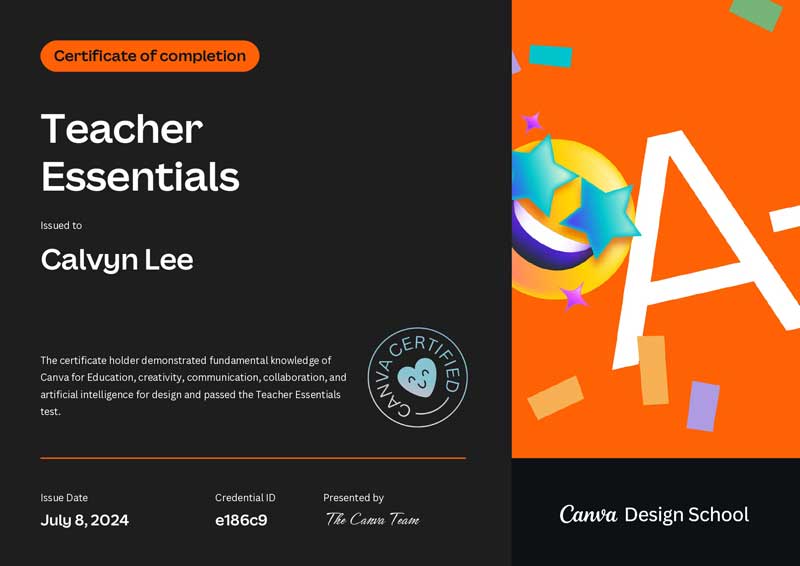
Trainer Calvyn Lee is a Canva Certified Teacher Essentials:
Unlock your creative potential with Canva! Whether you’re a business owner, marketer, or professional looking to enhance your design skills, this 3-day hands-on course will empower you to create stunning graphics, impactful social media content, and professional marketing materials,all without any prior design experience. Join us and start designing like a pro today!

Need any help? Drop me a message over messenger.
Other Digital Marketing Course

Digital Marketing Course

Social Media Marketing Course
SEO Course
Canva Course
WordPress Course